Raffles. Bingo. Prize draws.

Make the draw.
Make their day.

Run raffles, call bingo, and reveal prize winners from your iPhone.

Available for iPhone Coming soon to Android

RafflePilot setup with ticket books, color series, bingo, custom lists, and prize draws RafflePilot revealing winning ticket A25 on a gold ticket
Works offline No accounts No ads No tracking

01 Raffles, your way

Your tickets.
Your way.

Find the format that fits your event.

  • Numbered booklets

    Set up your numbered ticket books.

  • Lettered booklets

    Match books with letter prefixes.

  • Numbered tickets

    Draw from a range of ticket numbers.

  • Color series

    Keep different ticket colors together.

  • Bingo

    Keep every called ball in view.

  • Your own list

    Pick from names, teams, or entries.

  • Prize Draw

    Choose a winner for each prize.

  • Quick Draw

    Pick a number without the setup.

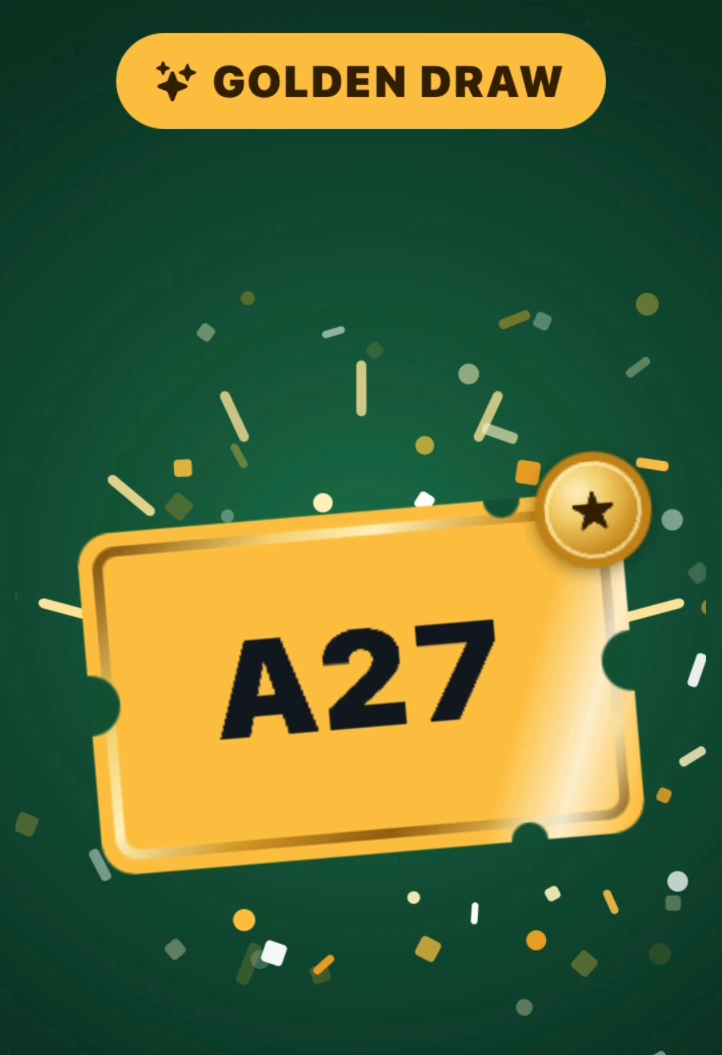
Golden Draw

Add a golden
surprise.

Give a special winner a golden reveal, with an optional prize to match.

Golden Draw revealing winning ticket A27 with a gold medal and confetti

02 Bingo nights, sorted

Bring everyone
into the game.

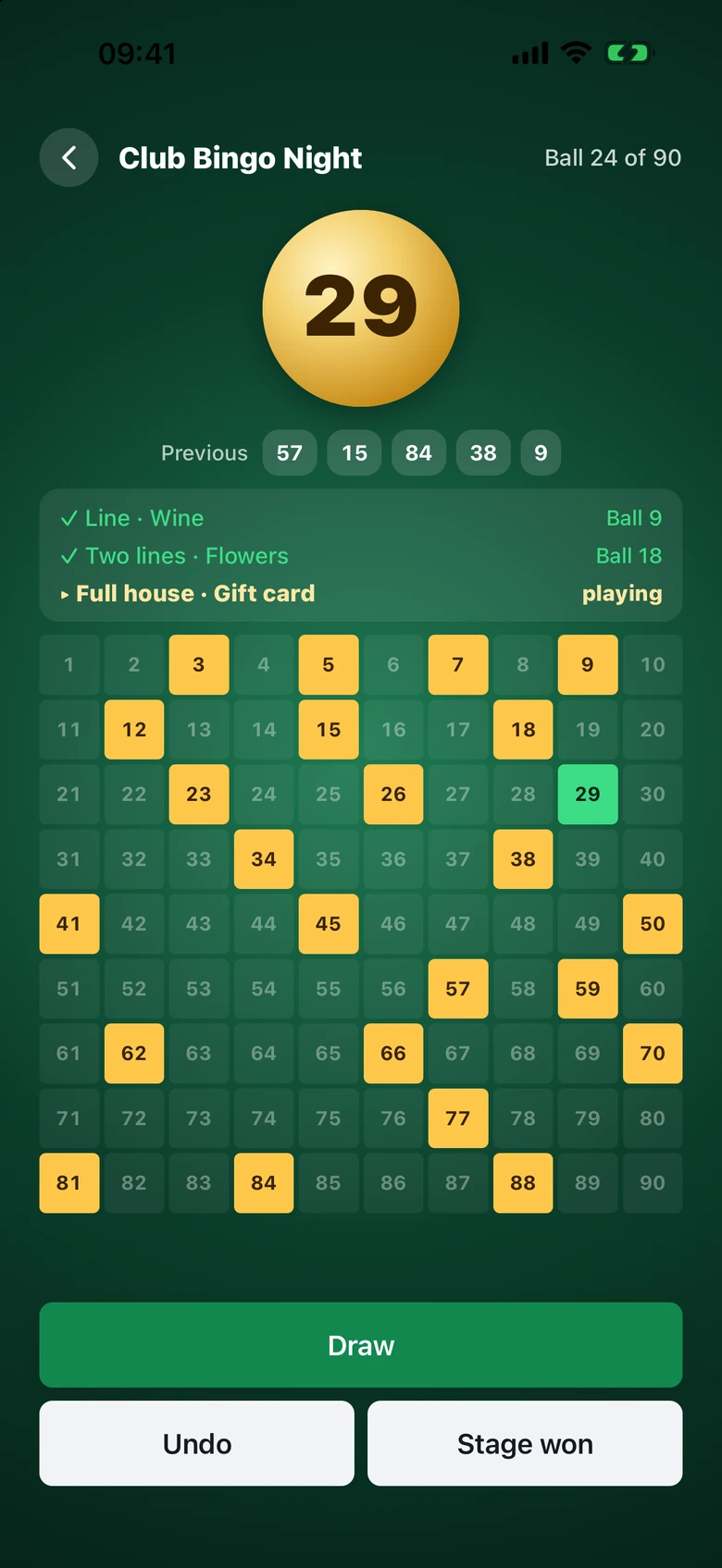
Call bingo with a clear ball display and a board everyone can follow.

  • See called balls and recent numbers
  • Record stage winners and their winning ball
  • Share the results when the game is over
30758090balls. Your choice.
Club Bingo Night showing ball 29, called numbers, and line, two-line, and full-house stages

03 Raffles and results

Keep the winners.
Lose the paperwork.

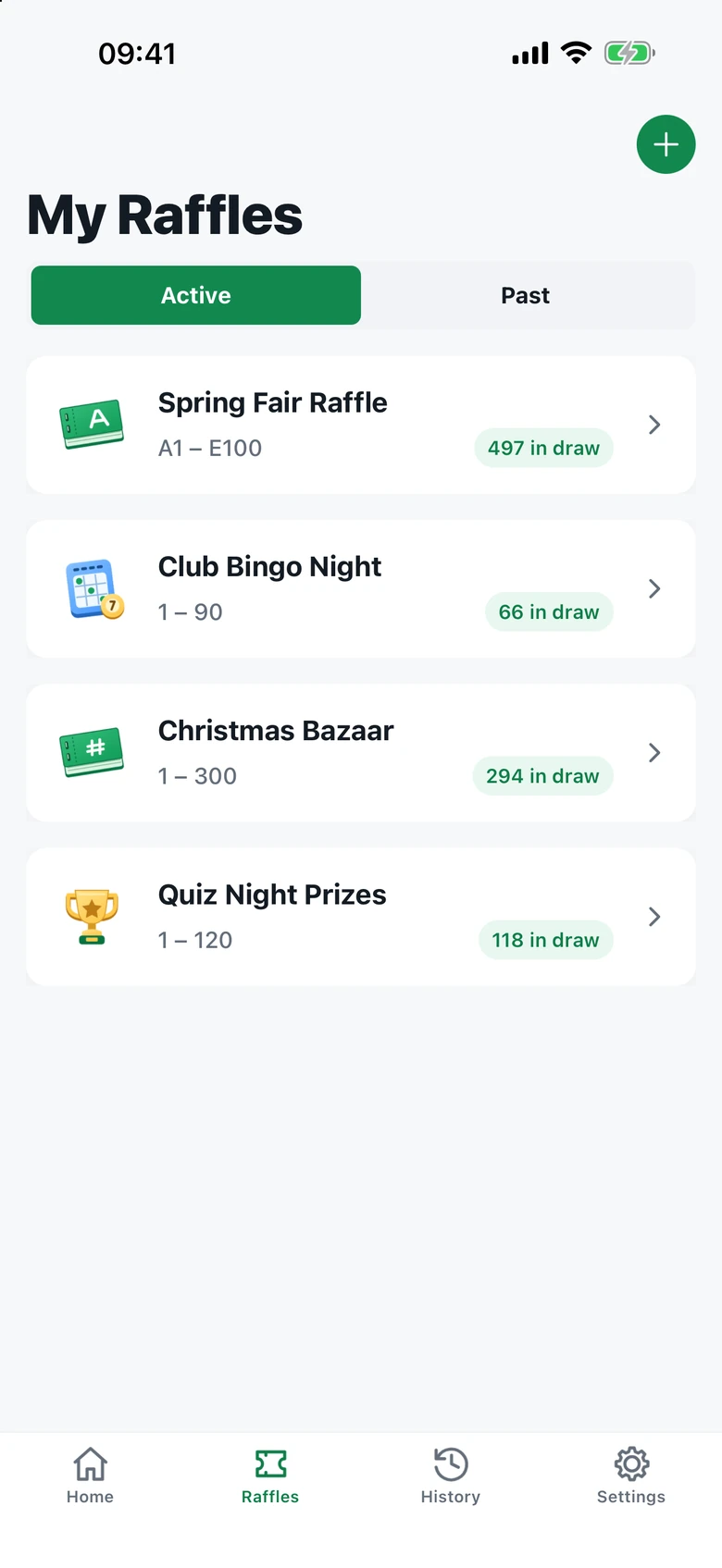
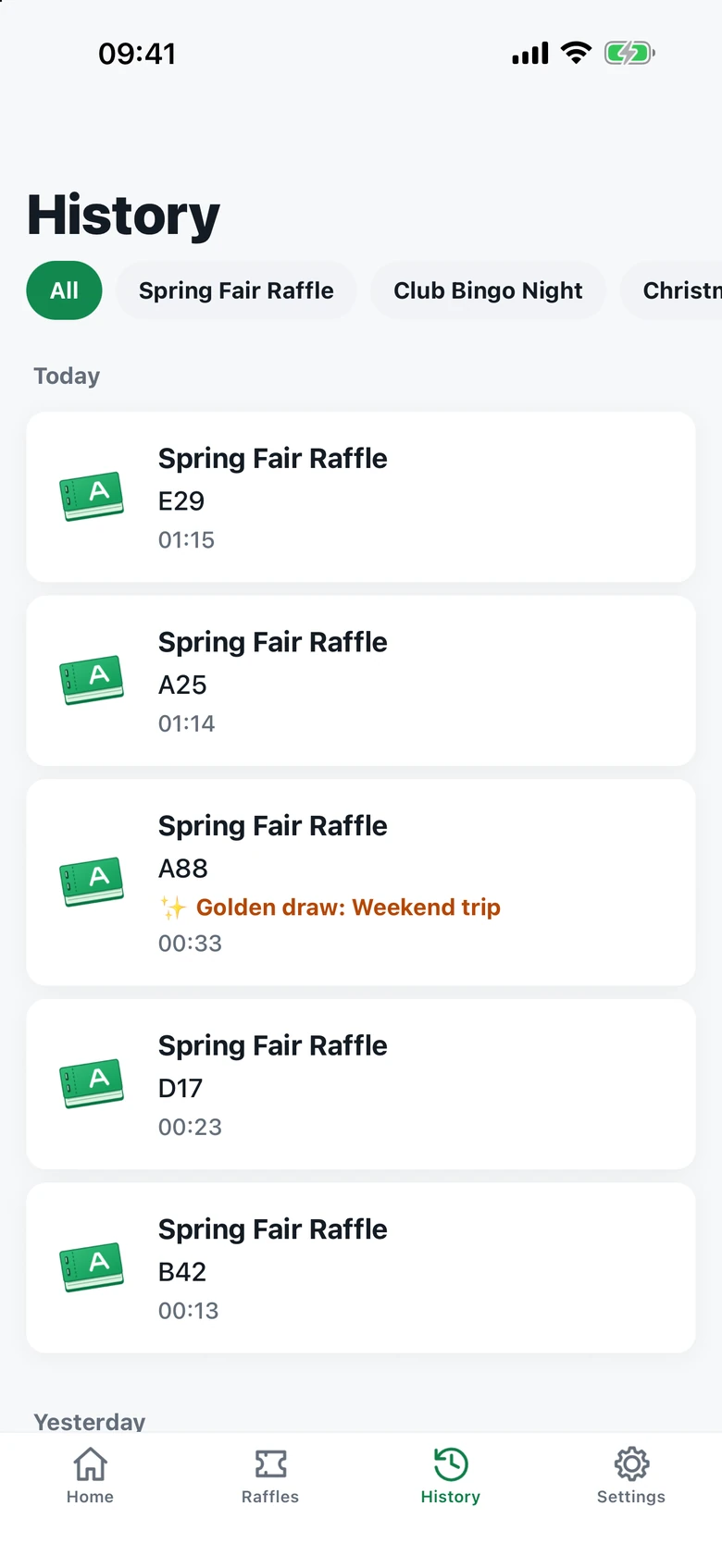
Keep each raffle and its results together on your device.

  • Switch between your saved raffles
  • See every winner in your draw history
  • Share results with your group
  • Keep each ticket from winning twice
My Raffles screen with saved raffle and bingo eventsWinner history grouped by day, with raffle names and winning tickets

Ready in three simple steps.

1

Choose your format

Ticket books, numbers, names, prizes, or bingo. Pick what fits your event.

2

Make it yours

Add your tickets or entries, choose your colors, and leave out anything unsold.

3

Reveal the winner

Tap to draw, share the excitement, and keep the results for later.

Small touches.
Big difference.

Prizes in order

Draw one winner per prize, in your chosen order.

More winners, fewer taps

Draw several winners at once, with no duplicate tickets.

Room for corrections

Undo your last draw if you need to make a correction.

Made for the room

A large winner display, light and dark themes, and 16 languages.

For your next event.

School fairsClub fundraisersCommunity bingoOffice prize draws
RafflePilot app icon

Make it a draw
to remember.

Get RafflePilot for your next event.

Download RafflePilot on the App Store

Available for iPhone Coming soon to Android